Your Team Should Build Products. Not Move CSVs.
Replace manual grunt work with code-free logic. n8n self-hosted as the engine, orchestrating lead routing, cross-app syncs, notifications, scheduled jobs, and AI-augmented workflows across your stack. Make and Zapier where they fit better.
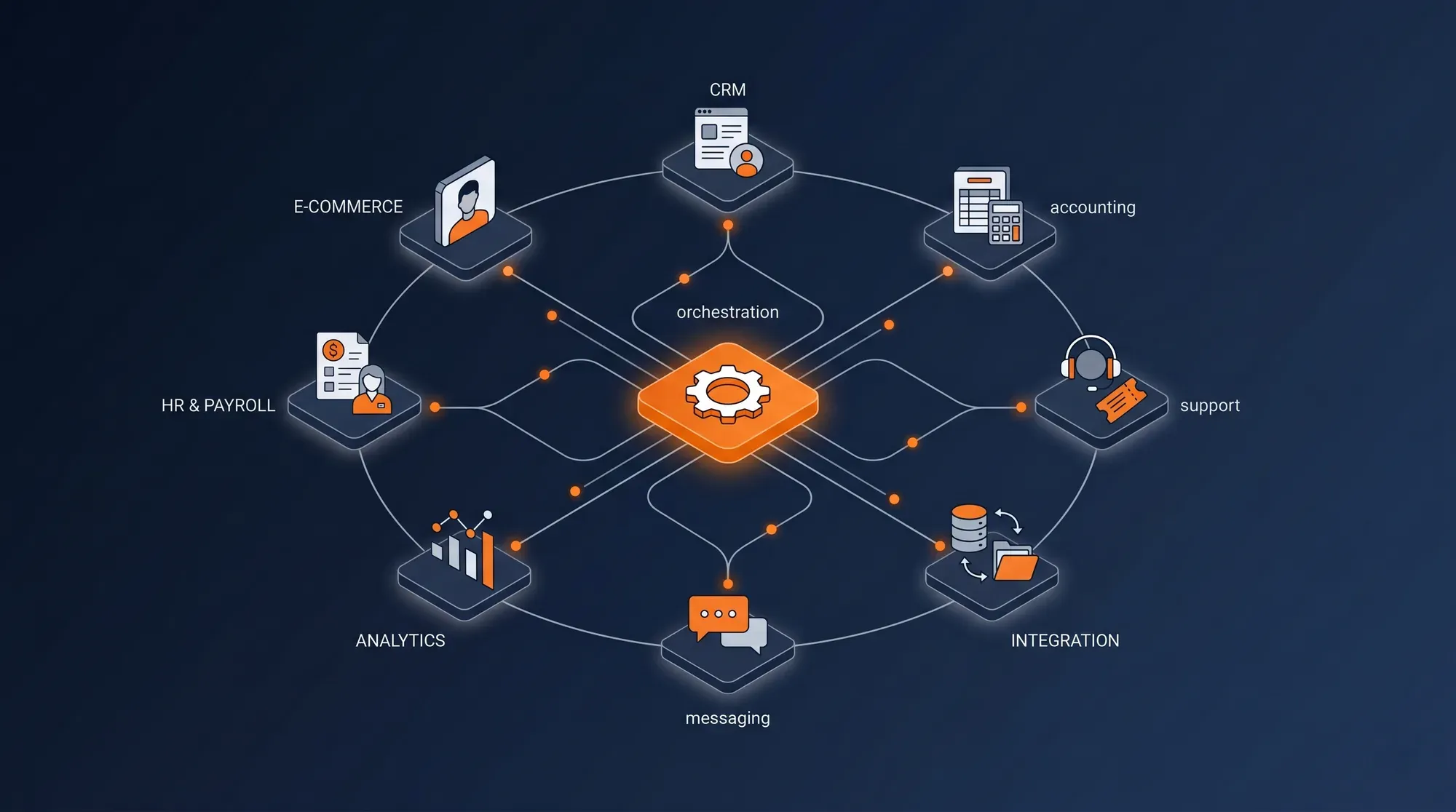
Your Tools Don't Talk. Your People Pay the Price.
Twelve to thirty SaaS tools per company. Connecting them properly is engineering work — and most of it gets done by hand because companies don't realize it doesn't have to be.
The Manual Tax
Your ops team spends 6+ hours every week moving data between systems — CRM exports into accounting, support tickets manually copied to project tools, lead notifications pasted into Slack. The work that should run itself is consuming a third of your operational headcount.
6+ hrs/week per ops roleThe "Almost-Connected" Stack
You already have 50 Zapier zaps. Half of them are half-broken. Nobody knows what runs where, nothing is documented, and they fail silently when an endpoint schema changes. The integrations look automated until you look closer.
50% of zaps go stale within a yearError-Prone Handoffs
Leads get dropped between marketing and sales because the routing is manual. Refunds aren't reflected in the suppression list because the ops team forgot. Churn signals never reach the retention team because the systems don't talk. Every handoff is a leak.
Handoffs = where revenue dies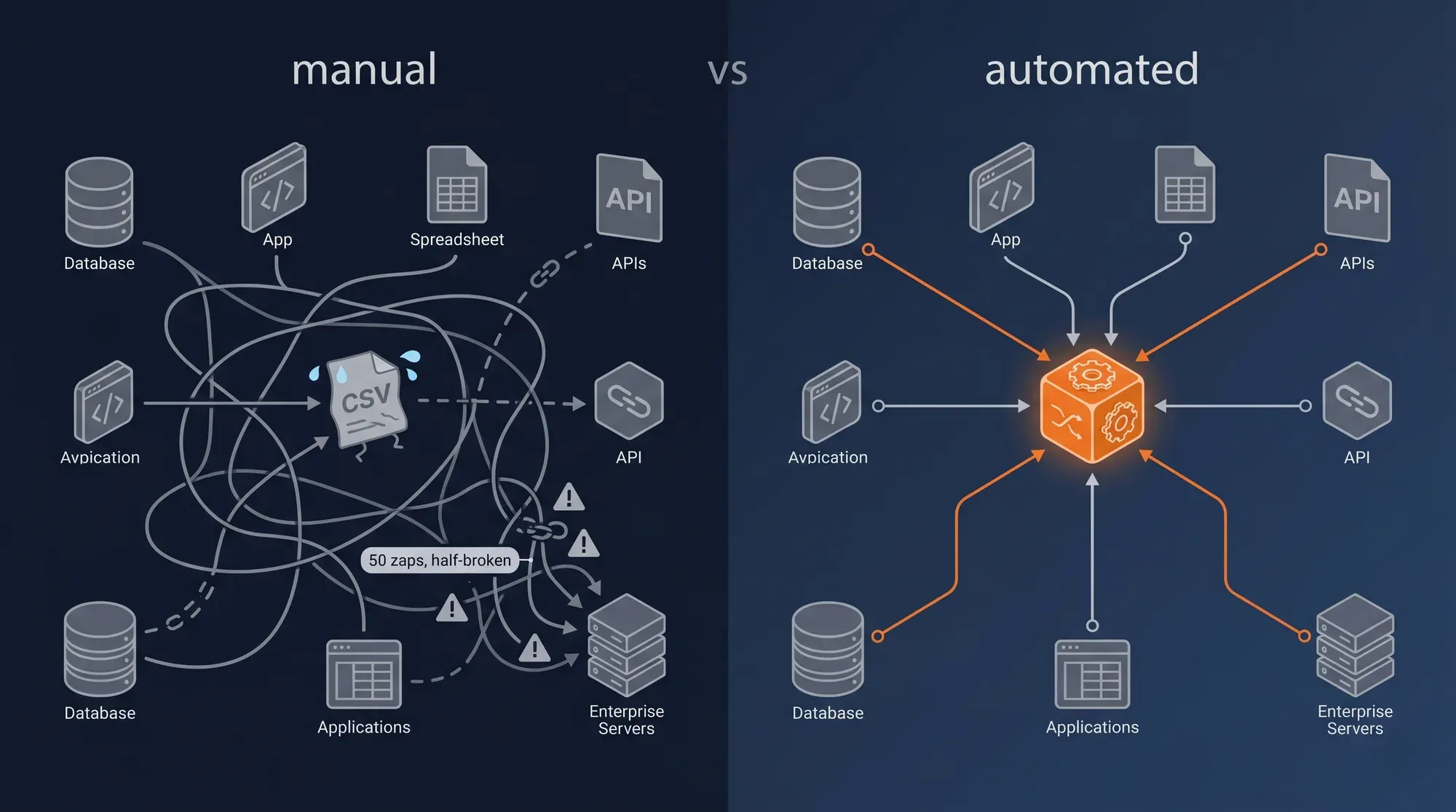
Four Pillars of an Operational Layer That Runs Itself
The engine. The syncs. The handoffs. The AI layer that turns workflows from rule-based to judgment-based. Built together, monitored together, owned by you.
Workflow Orchestration — n8n as the Engine
n8n self-hosted is the default — open-source, code-friendly when you need it, visual when you don't, and 100% data sovereignty by running on your own infrastructure. Make for visual-first teams with simpler workflows. Zapier where speed-to-deploy beats long-term maintenance cost. Every workflow documented, versioned, and monitored — no more "what does this zap actually do?".
Impact → n8n self-hosted default · One toolchain documented · No vendor lock-in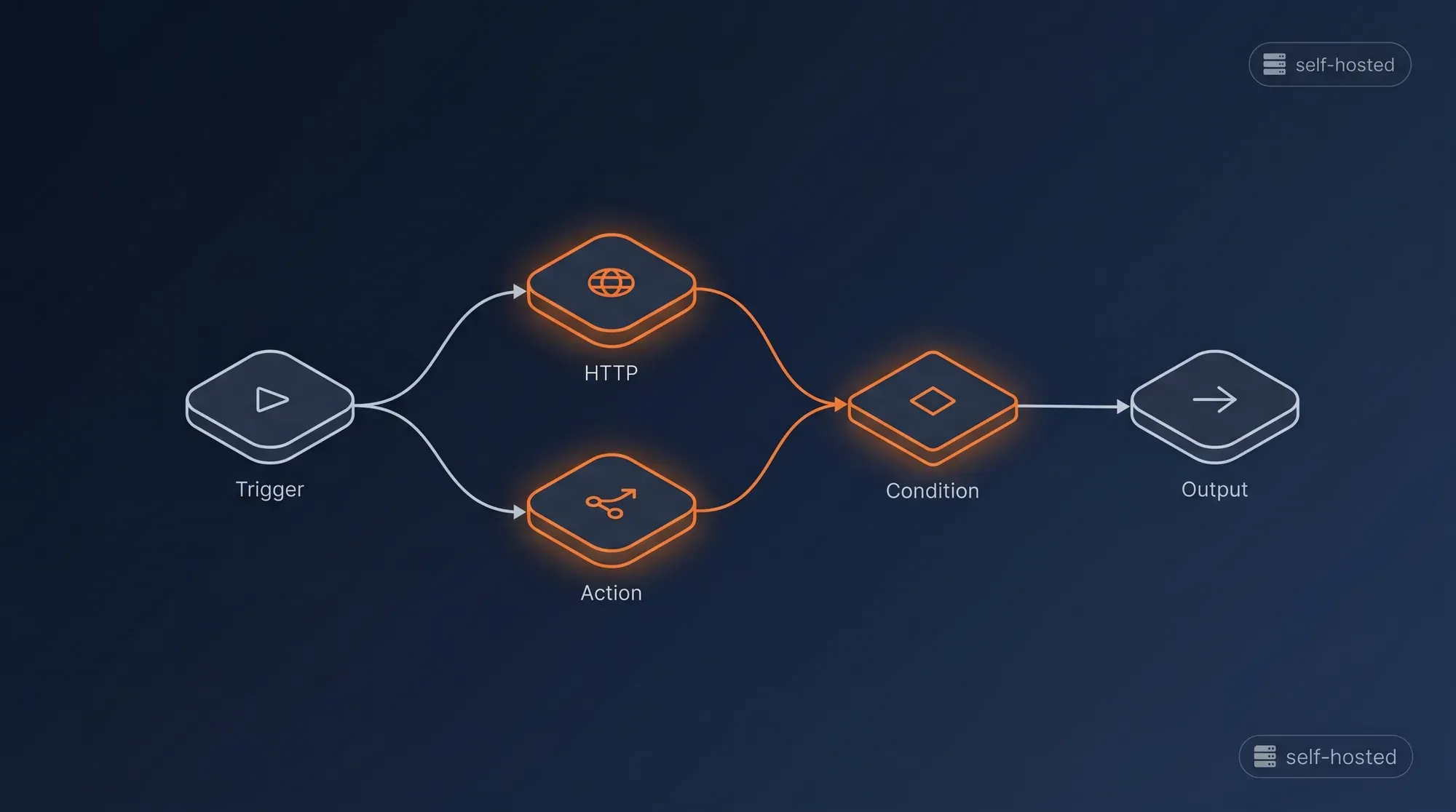
Cross-System Syncs
CRM ↔ accounting ↔ project management ↔ support ↔ HR. Bidirectional where it makes sense, one-way where it doesn't. Idempotent always — running the same workflow twice produces the same result, no duplicates, no surprises. State managed properly so a deal that exists in HubSpot, Stripe, and Notion stays in sync as it moves through the lifecycle.
Impact → Systems agree · Idempotent operations · No duplicate records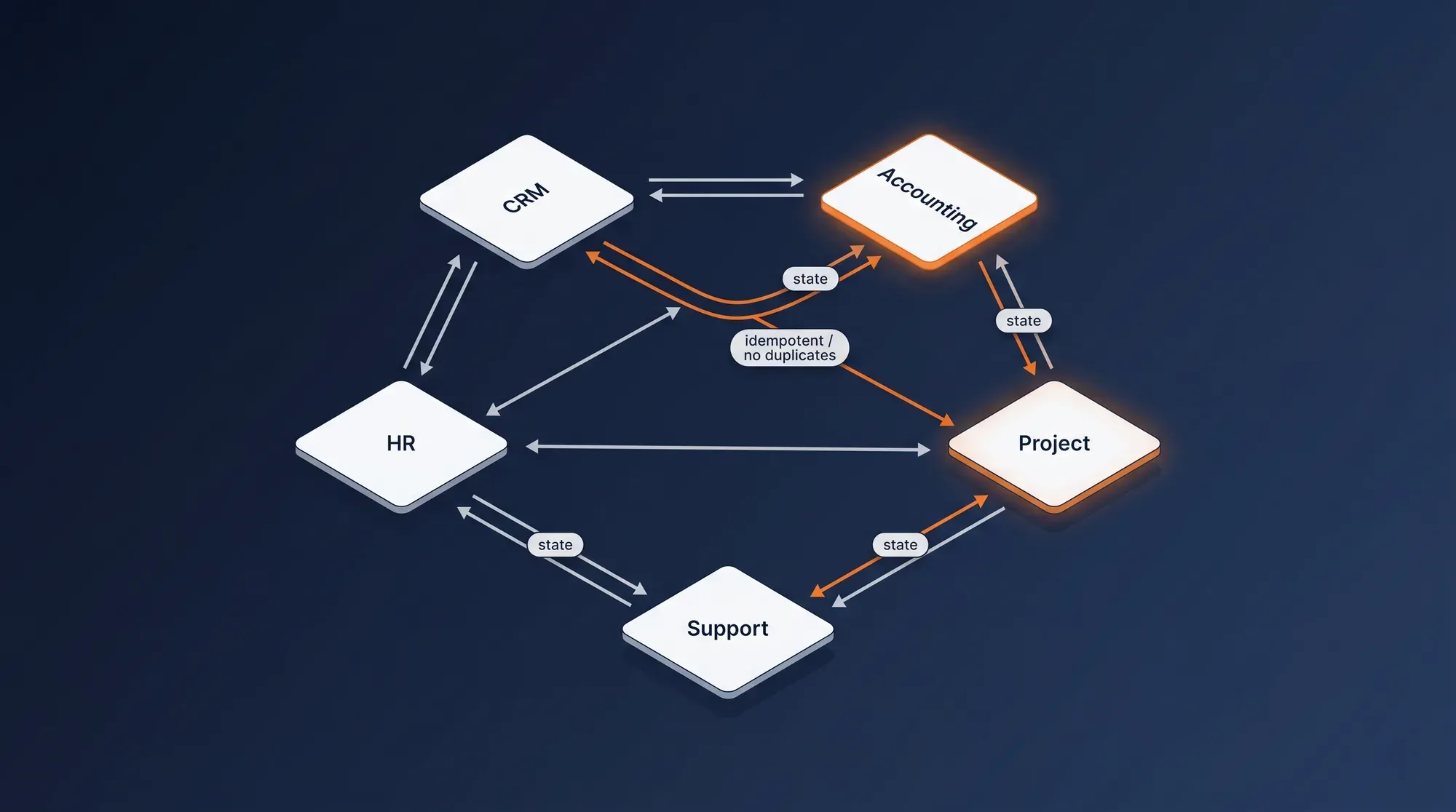
Lead Routing & Sales Ops
Form submission → enrichment (Clearbit / Apollo / native APIs) → scoring against your firmographic and behavioral rules → CRM assignment by territory or round-robin → Slack notification in the right sales channel → first-touch sequence triggered. Every step instrumented, failure-monitored, and tied to your warehouse so you can measure where leads stick or drop.
Impact → No leads dropped · Instant handoff · Sales team alerted in seconds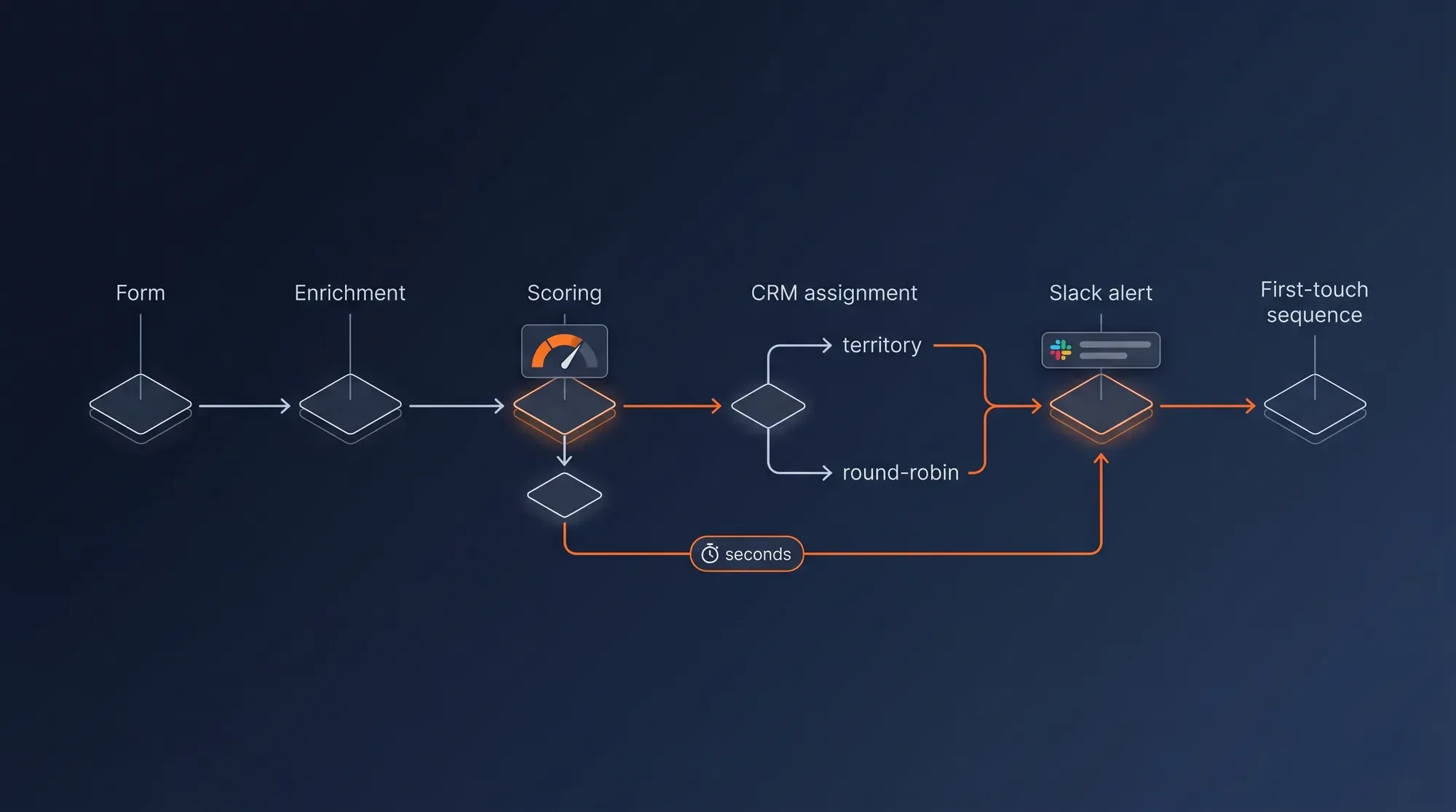
AI-Augmented Workflows
Large language models integrated where automation alone falls short. Claude or GPT for classifying incoming emails by intent and routing them accordingly. Summarization of long CRM notes into a one-line account status. AI-drafted follow-up emails for sales to review and send. Smart routing decisions that combine deterministic rules with LLM judgment. The AI serves the workflow — not the other way around.
Impact → Intelligence on tasks that resist rules · Faster cycle times · Humans on the high-value end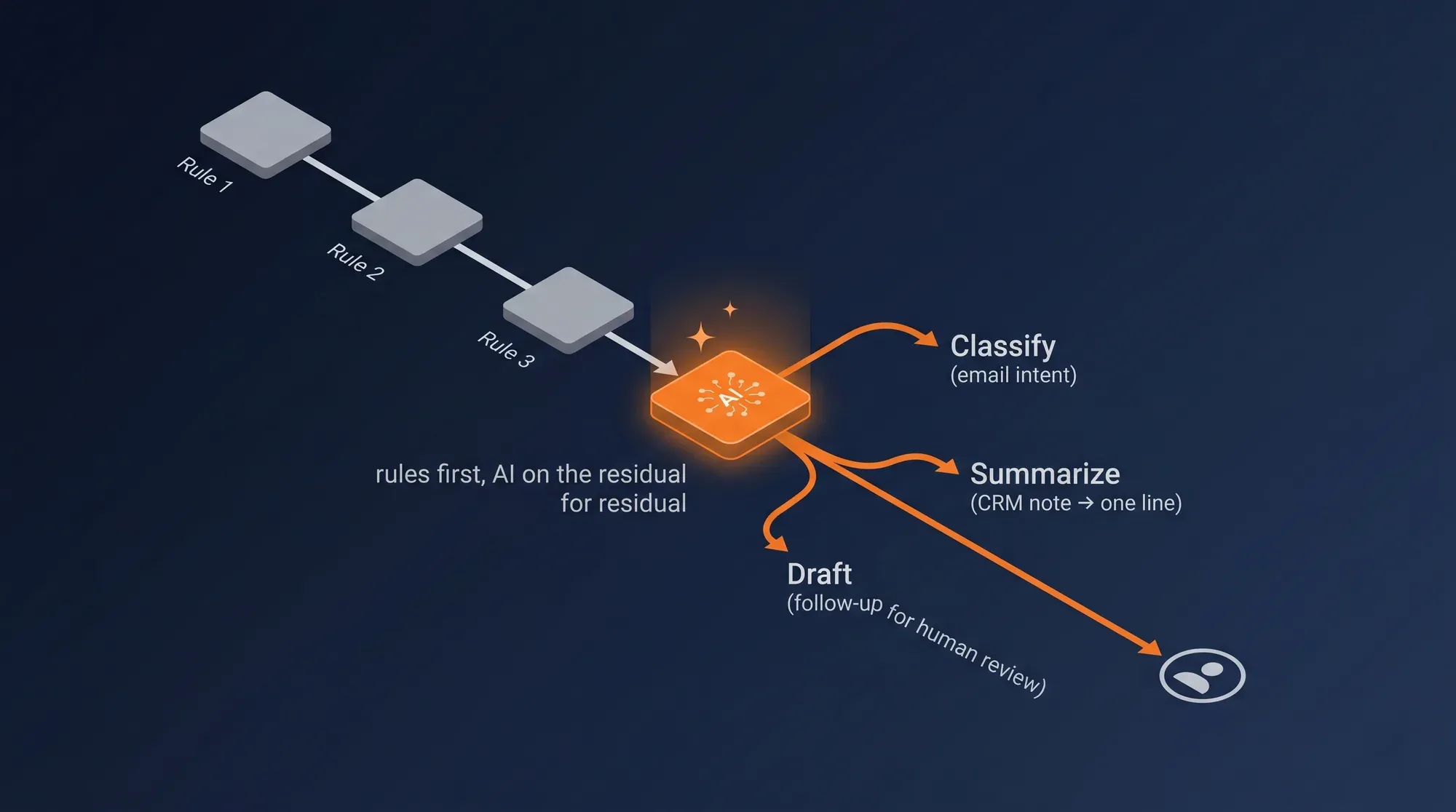
The Four Layers of a Production-Grade Automation Stack
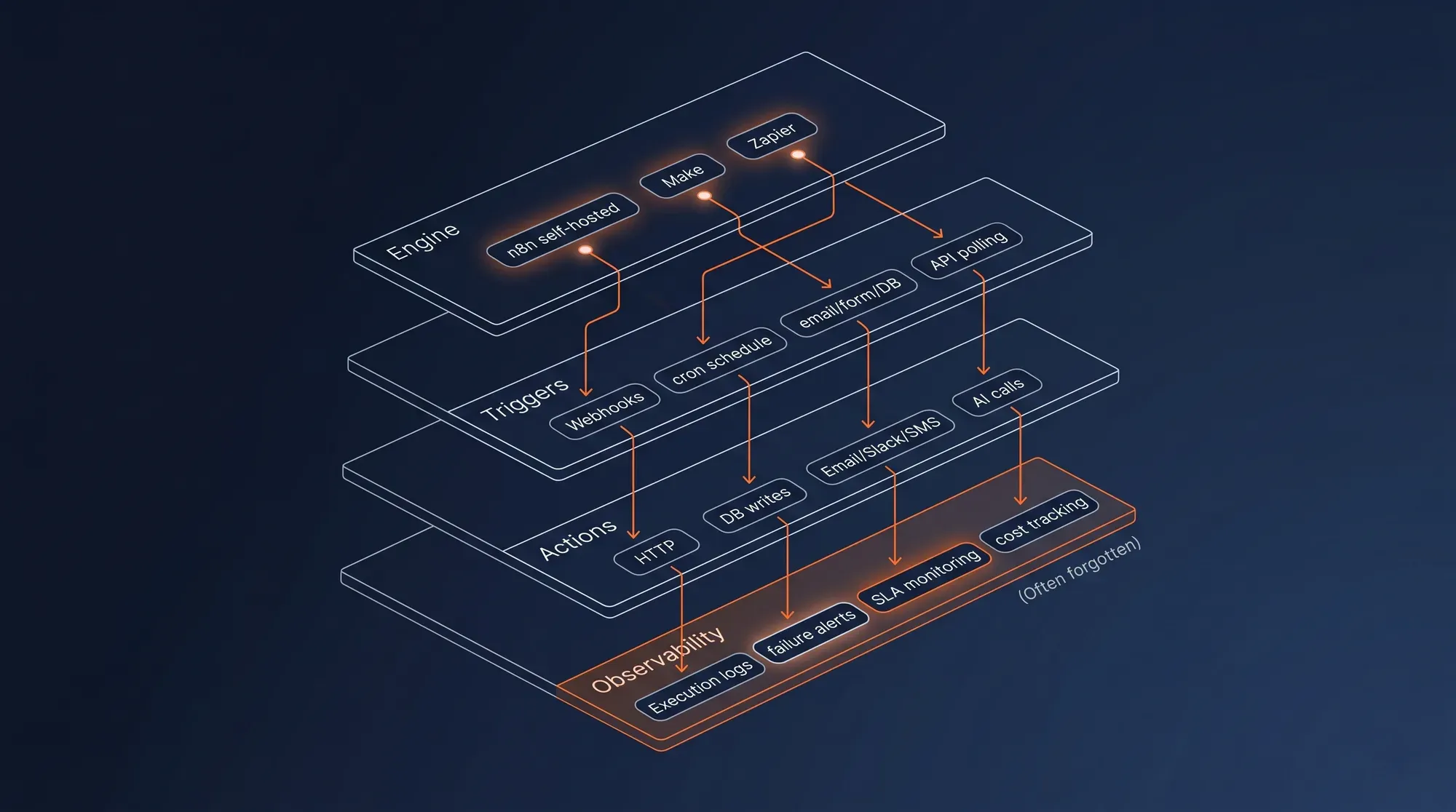
Engine, triggers, actions, observability. Most automation projects ship the first three and forget the fourth — which is when workflows quietly break and nobody notices.
Engine
Where the workflows actually run. Choice driven by complexity, maintenance cost, and team skill.
- n8n self-hostedDefault · open-source · code-friendly
- MakeManaged · visual-first
- ZapierFast deploy · entry-level
Triggers
What kicks a workflow off. Mix of real-time events and scheduled checks.
- WebhooksReal-time from any system
- Schedule (cron)Daily / hourly / business hours
- Email · Form · DB changesNative triggers per source
- API pollingWhere webhooks aren't available
Actions
What workflows do downstream. Anything with an API or a database can be an action.
- HTTP requestsAny REST or GraphQL endpoint
- Database writesPostgres · BigQuery · MongoDB
- Email · Slack · SMSNative channels for ops alerts
- AI callsClaude · OpenAI · local LLM
Observability
How you know it's working. Workflows you can't see are workflows you can't trust.
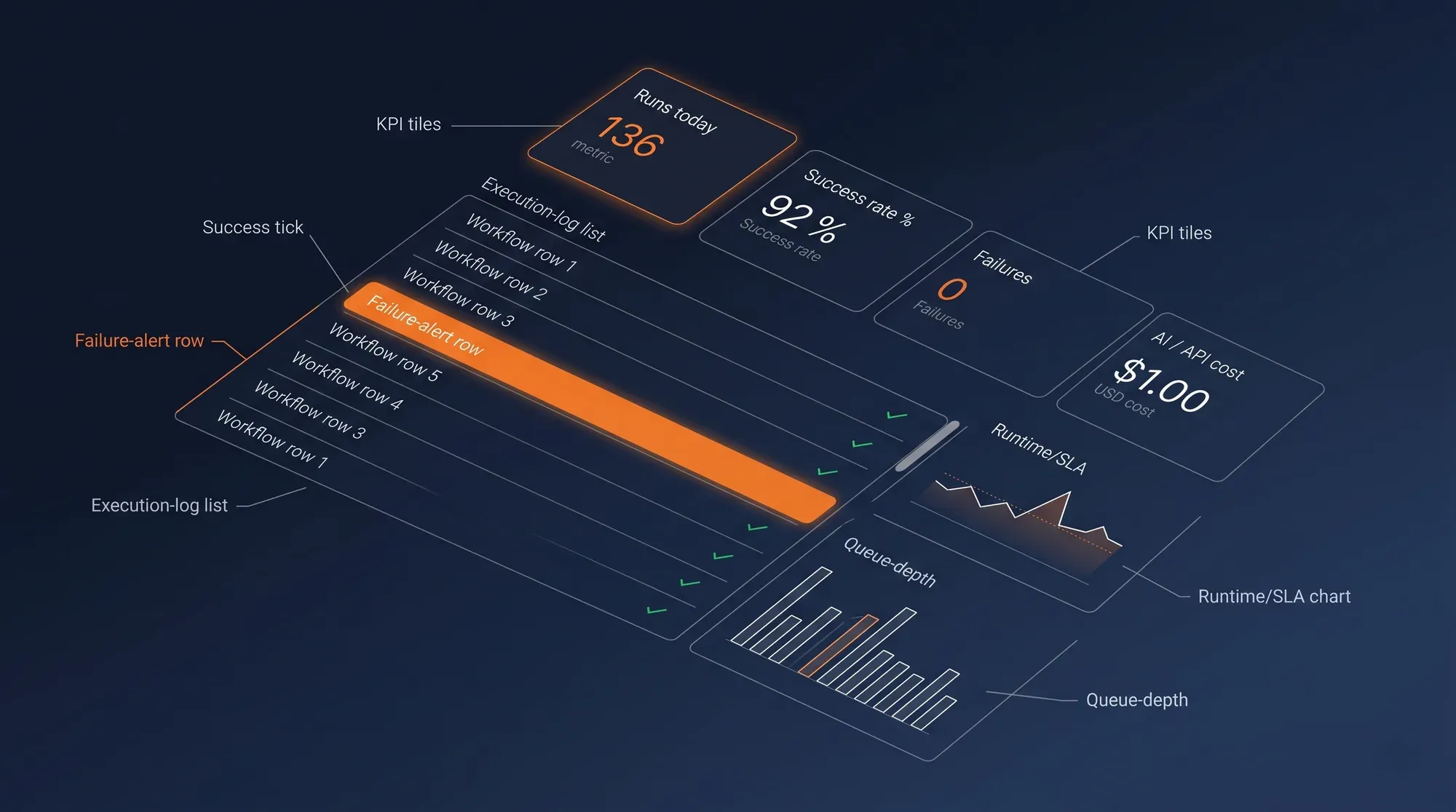
- Execution logsEvery run · success or failure
- Failure alertsSlack / email on workflow break
- SLA monitoringRuntime · throughput · queue depth
- Cost trackingAI calls · API quotas · compute
Our Implementation Methodology
A proven 6-step process — from audit to a fully-monitored automation stack, in 4 to 6 weeks.
Workflow Audit
3–5 daysWe inventory what runs today — every Zapier zap, every manual handoff, every spreadsheet that exists as a workflow in disguise. We measure where time is leaking and what is breaking silently. The output is a quantified opportunity per workflow.
Process Mapping
1 weekAs-is documented per workflow — triggers, steps, owners, failure modes. To-be designed — the same outcome with fewer manual steps, idempotent operations, and proper error paths. ROI per workflow estimated before we build anything.
Engine Selection
2–3 daysn8n / Make / Zapier chosen per workflow based on complexity, expected execution volume, and the team that will maintain it long-term. n8n self-hosted is the default for the technical core. Make where visual editing serves the team. Zapier for the quick wins where the cost-per-zap is justified.
Build & Test
2–4 weeksWorkflows built in staging with realistic test data. Idempotency verified — running the same workflow twice produces the same end state, never duplicates. Error paths covered explicitly. Edge cases (rate limits, partial failures, missing fields) handled gracefully.
Documentation & Handover
3–5 daysA runbook per workflow — what it does, what triggers it, what owns it, how to debug it. Naming conventions enforced. Access controls set up. Team trained on the n8n / Make console for everyday operations.
Monitoring & Iteration
OngoingFailure alerts wired to Slack and email. Success rate and runtime tracked per workflow. Monthly review session to identify what to optimize, what to retire, and what new workflows the team has identified as worth automating. Optional ongoing support.
What's included
n8n Self-Hosted Deployed
n8n provisioned on your infrastructure (Coolify / Hetzner / your cloud), workspaces and credentials managed, version-controlled where workflows justify it. Or Make / Zapier set up where they fit better — chosen per workflow, not per service.
10–25 Workflows Live
Lead routing, cross-system syncs, notifications, scheduled jobs, AI-augmented decisions — the workflows your team identifies as highest-value, built, tested, and shipped to production.
AI-Augmented Workflows Where They Pay
Claude or GPT integrated for classification, summarization, drafting, and judgment-heavy routing. Token usage monitored. The AI runs where it adds real value, not as a feature for the sake of a feature.
Failure Alerts Wired
Every workflow has a failure path. When something breaks, Slack and email get notified within seconds — with enough context to debug without opening n8n.
Runbook Per Workflow
Documented in a way that survives team turnover. What the workflow does, what triggers it, who owns it, how to test it, how to debug it. No more "the person who set this up left".
Monitoring Dashboard
Workflow health per workflow — success rate, average runtime, error trend. Cost tracking on AI calls and external API quotas. Monthly review surface ready for the team that owns operations.
Who this is for
E-commerce Brand
Your back office is the bottleneck. Orders flow in, but everything downstream — fulfillment, support, loyalty, returns — is a Slack ping or a manual export. We automate the operational layer so your team focuses on growth, not on copy-paste:
- Refund automation cross-system: Shopify refund triggers Klaviyo suppression, Meta exclusion, support ticket, and accounting update in parallel
- Inventory sync between Shopify and your 3PL — bidirectional, idempotent, monitored
- Loyalty point allocation based on warehouse RFM tier — VIP customers get rewarded the moment their cohort updates
- Abandoned cart escalation tiered: 1h email → 24h SMS → 48h WhatsApp → 72h human follow-up if AOV > threshold
Lead Gen / B2B
Leads come in, but they sit. The handoffs between marketing, sales, and customer success are manual and lossy. We make the lead lifecycle a system — instrumented, automated, alerted:
- Form submission → Clearbit / Apollo enrichment → scoring → CRM assignment by territory → Slack alert in the right sales channel → first-email cadence triggered
- Deal closed in CRM → invoice generated in Stripe → onboarding pipeline triggered in Notion / Asana → welcome sequence kicked off automatically
- NPS drop or churn signal → CSM alert + manager notification + intervention workflow opened in your support tool
- Closed-lost → retention sequence trigger + AI-drafted competitive analysis prompt to the account owner
Digital Agency
You run 8–15 clients in parallel and every new account means setting up the same dozen tools by hand. We automate the agency operating model so new clients onboard in hours, not days, and your billing runs itself:
- Client onboarding fully automated: Slack channel + Notion workspace + Drive folder + Stripe customer + monthly invoice setup, provisioned from a single internal form
- Monthly retainer billing automation — invoices generated, sent, reminded, and escalated without anyone touching them
- Client reporting auto-distribution: PDF generated from dashboards, emailed to stakeholders, archived in Drive — monthly, on time, every time
- Account health alerts: a sudden drop in client channel performance triggers a Slack notification to the account manager before the client notices
What to expect
0–12 hrs
Reclaimed per ops role per week
0–80%
Of manual tasks eliminated
0–25
Workflows deployed in 4–6 weeks
Case Studies
Case study coming soon
Case study coming soon
Frequently Asked Questions
Ready to Stop Doing Work the Tools Should Do?
Get a free workflow audit. We'll inventory what is manual, what is breaking silently, and quantify the time and revenue an automation layer would unlock for your team.